Write it now.
It finds you later.
Some thoughts aren't for right now. Write when you want it back in plain English — “tomorrow morning”, “next Friday at 9” — and Send When delivers by push, email, or both. Want it now instead? Send it now.
Push, email, or both — when the moment matters.
Three steps, then forget about it.
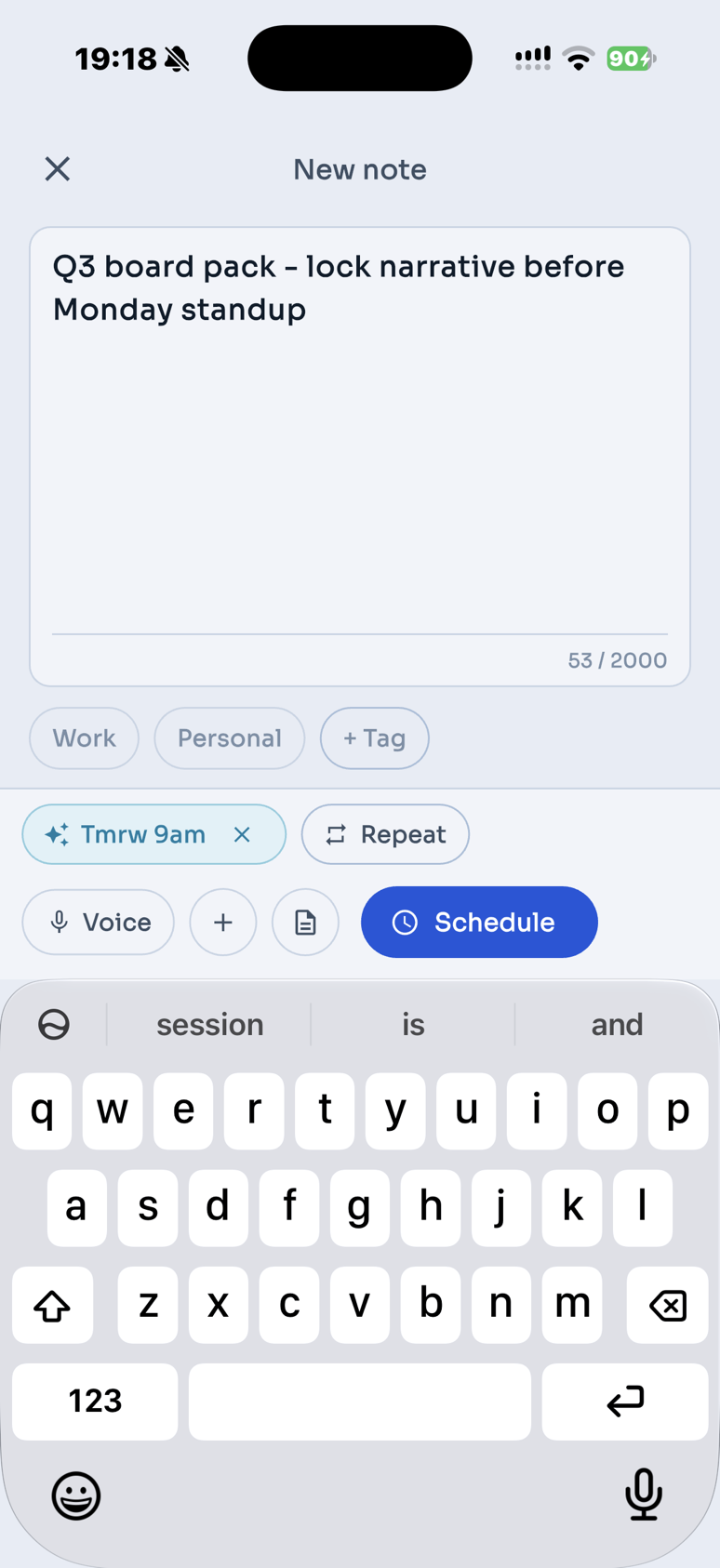
Capture it
Type, speak, share from another app, or attach a photo or file. You can write the when in the same note — no separate ritual.
Say when in plain English
Natural language — type how you’d say it out loud. No date picker required.
It arrives
At the moment you chose, your note comes back — push, email, or both. Nothing to check in the meantime.
From the first word to the moment it lands.
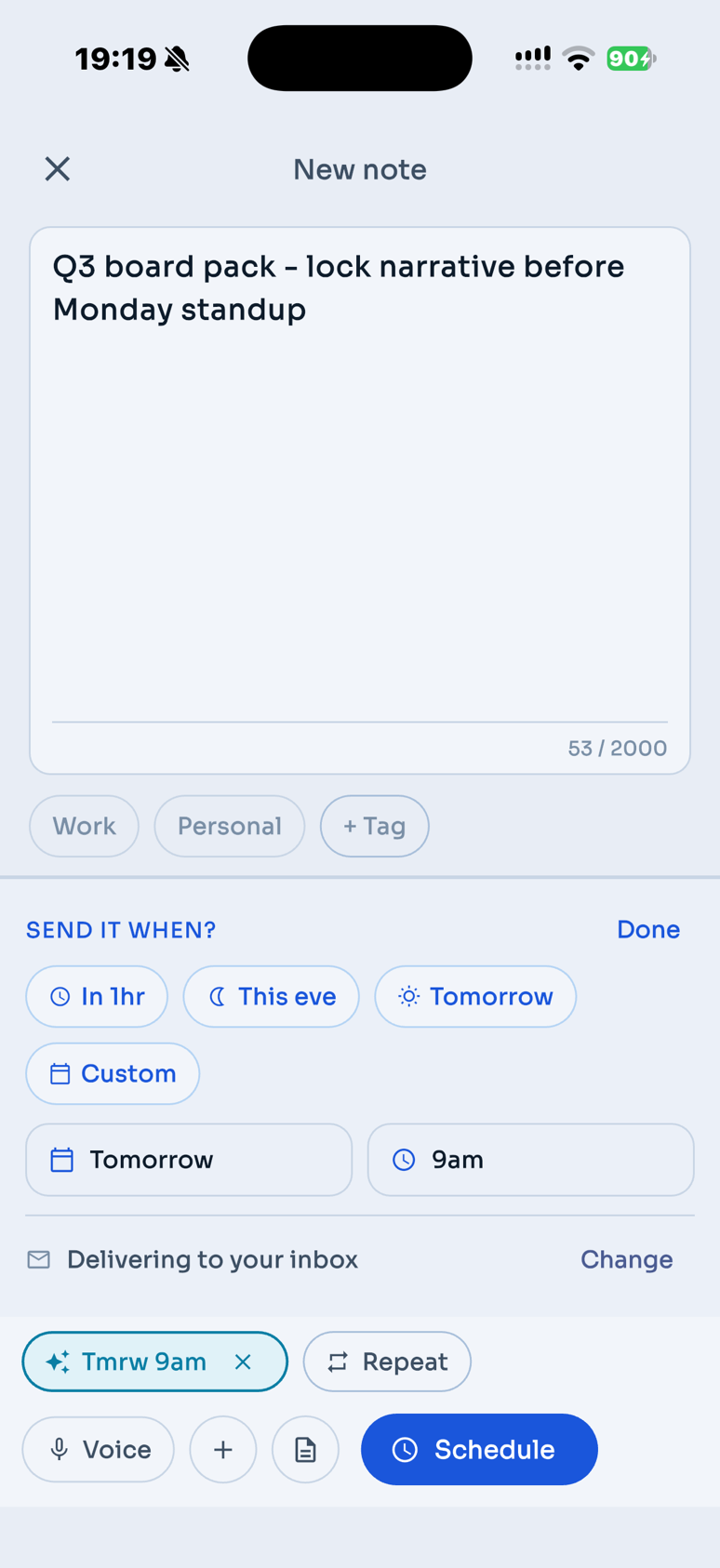
Pick a moment in plain language.
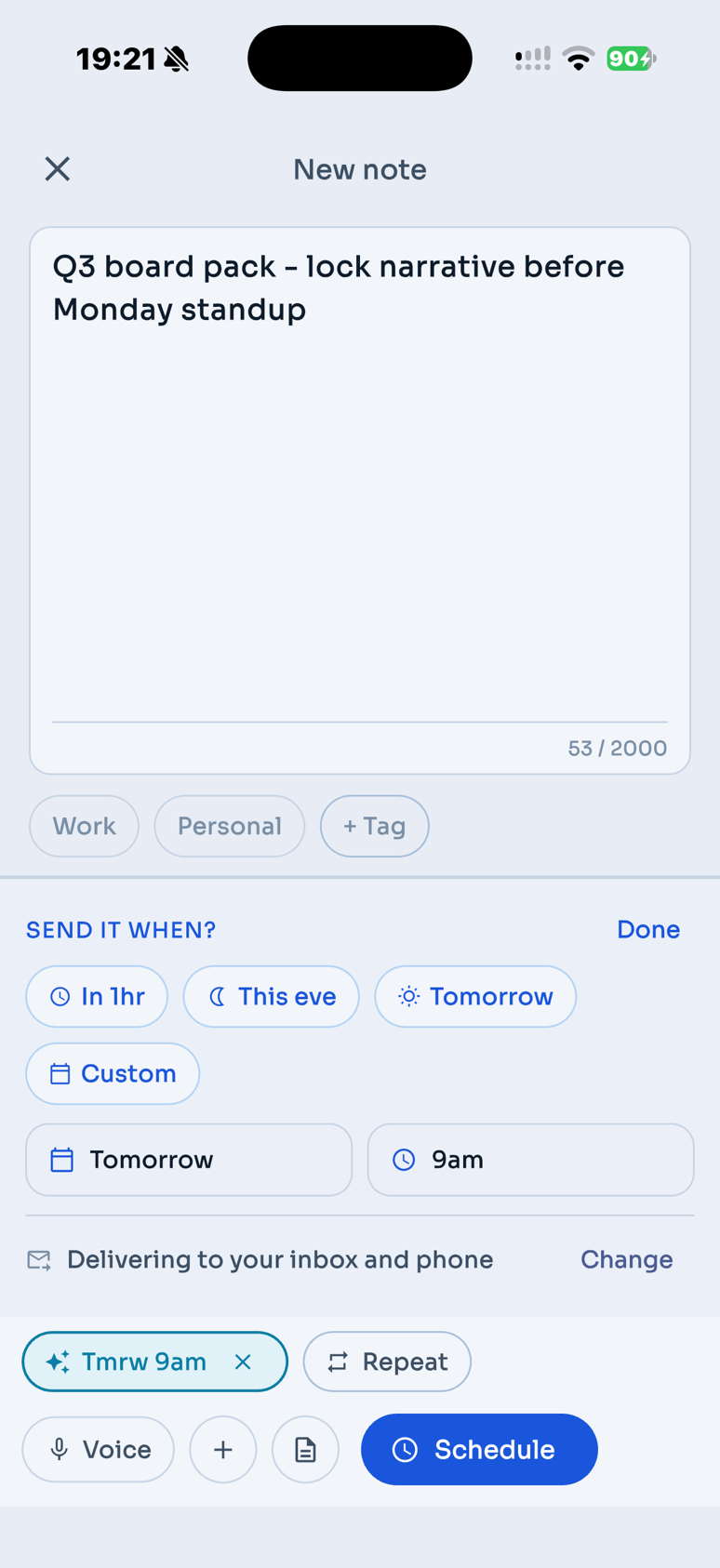
Push, email, or both — per note.
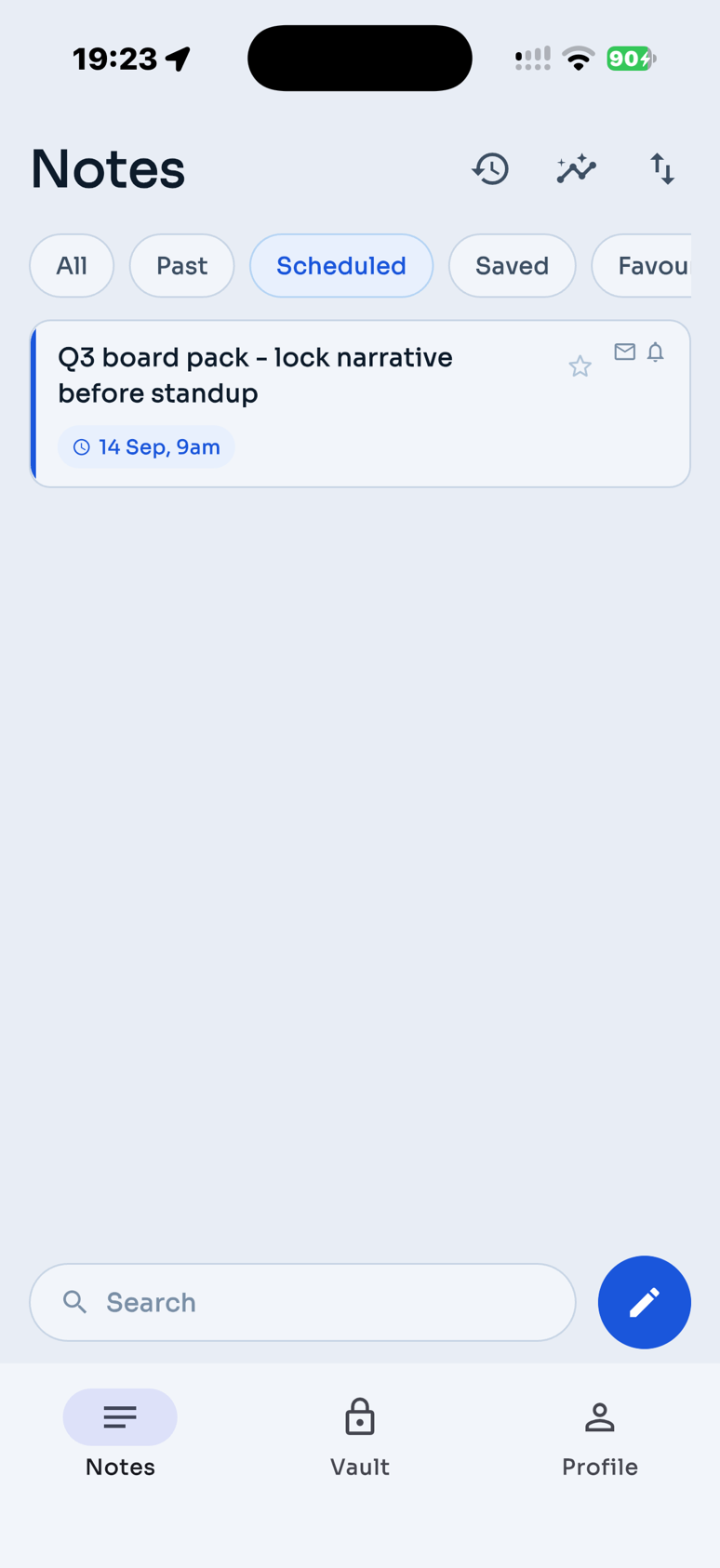
Everything that's on its way, in one list.
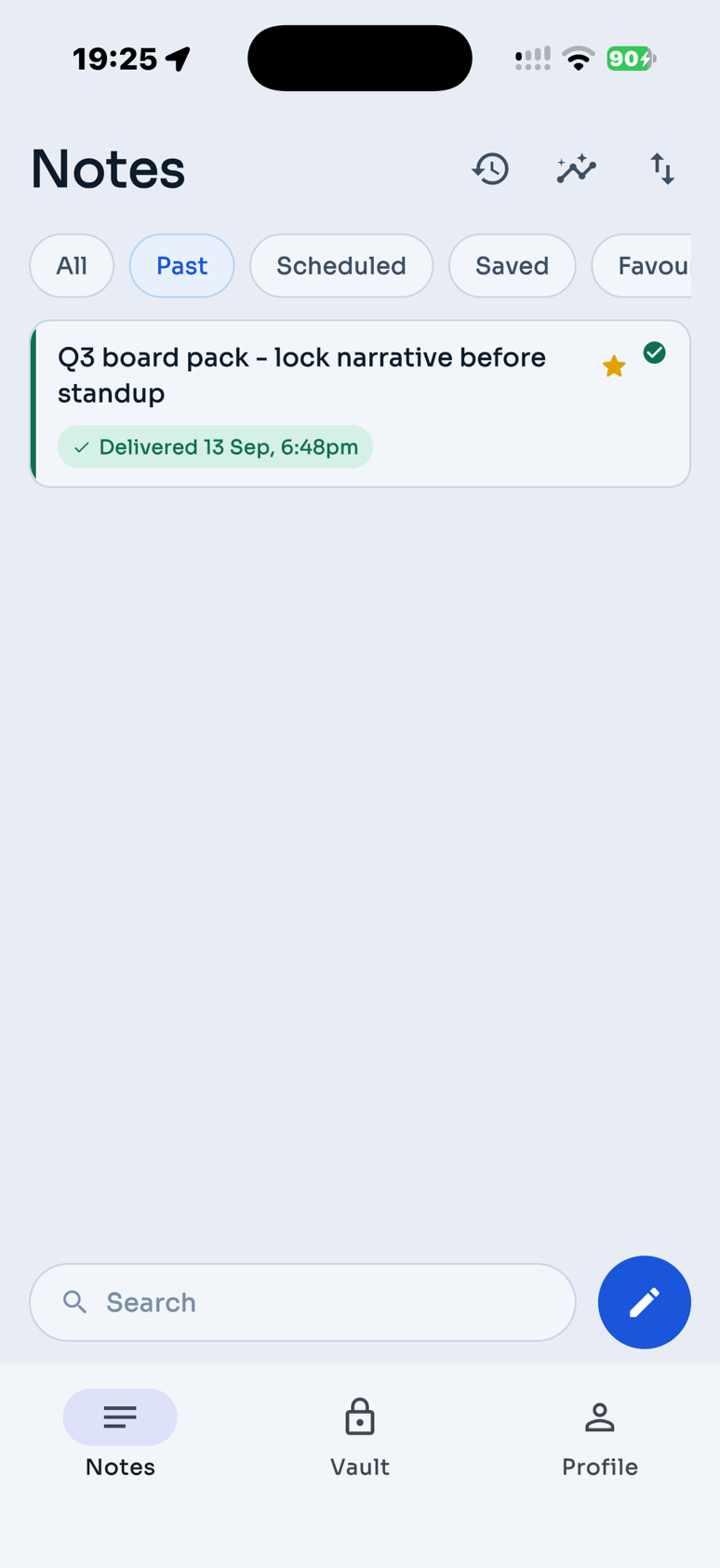
It arrives. You didn't have to remember.
How it reaches you is your call.
Pick per note, not once in a settings screen. A quiet nudge for the small things, an inbox copy for the ones you'll want to find again.
Need it in your inbox right now? Send it now. Scheduling is what the app is for, not a restriction it puts on you.
Push
A tap on the shoulder. The text stays in the app, never in the notification.
Waiting in your inbox, searchable, forwardable, yours to keep.
Both
For the ones that mustn't slip past you.
Six themes. One looks like an old screen.
Each one is a place or an object rather than a colour swap — cream notebook stock, drafting paper, a night sky, a phosphor terminal — with its own faint texture and a short flourish when you pick it.
Tell her the talk went fine. It always does.
Book the thing you keep not booking.
Original
Cool greys and a confident blue. Send When as designed.
Texture: none — the palette carries itself.
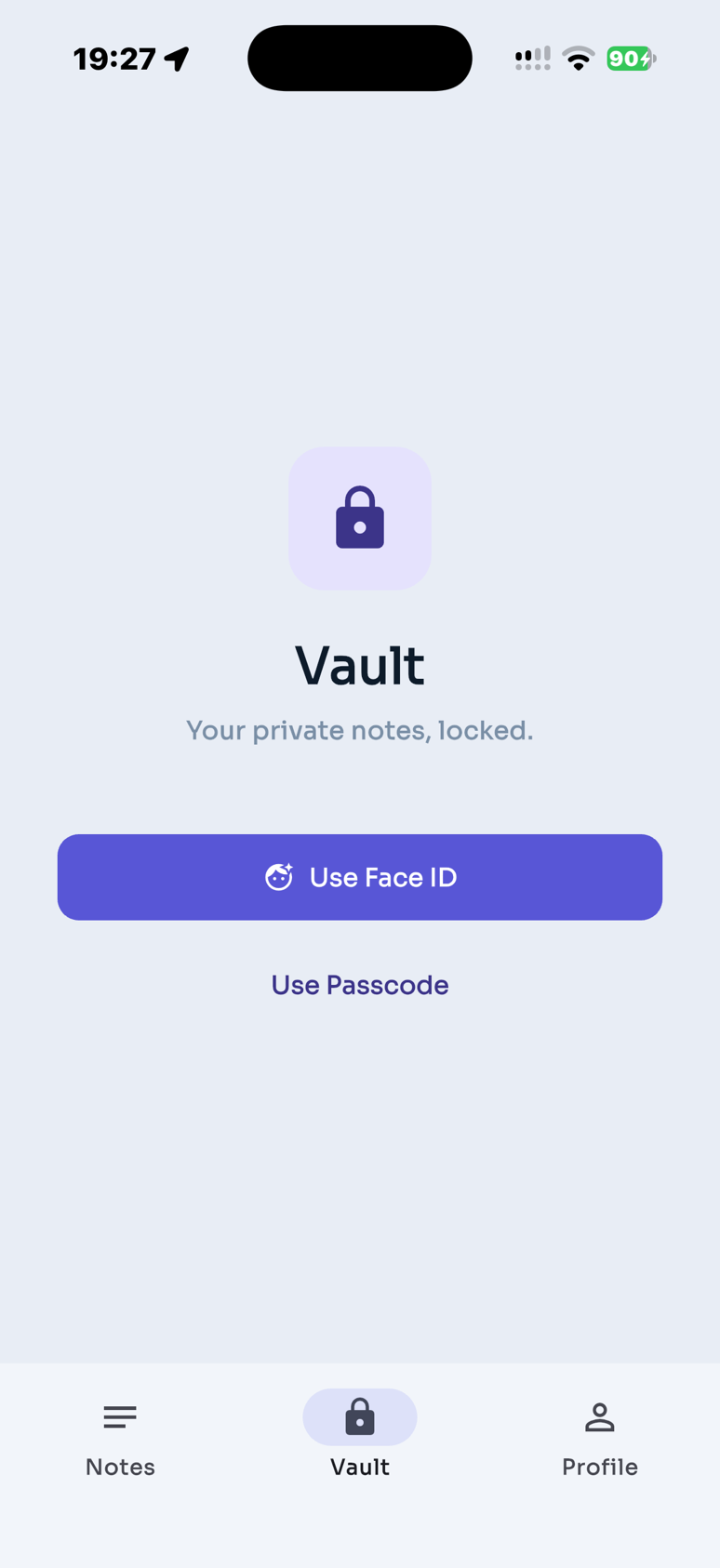
Some notes aren't going anywhere.
The Vault is a Face ID-locked space inside the app for the things you want to write down and not send. Vault notes are never delivered, to you or to anyone else. Face ID stays on your device.
Everything around the one good idea.
Natural language times
Type “tomorrow morning” or “next Friday at 9” — the schedule fills in. No date picker required.
Recurring notes
A weekly nudge, a monthly check-in, a yearly hello.
Voice notes
For when a thought is faster spoken than typed.
Photos and files
Send your future self the whole picture, not a description of it.
Tags
Work, life and ideas stay in their own lanes.
Templates
For the notes you find yourself writing again and again.
Home screen widget
What's coming, without opening anything.
Share Sheet
Share text, links, or files from Safari, Photos, and other apps straight into compose.
Siri & Shortcuts
Open compose or capture a note with Siri and the Shortcuts app.
Your notes are not the product.
No adverts, no third-party analytics, no selling or sharing your information for advertising. Notes are stored in London and travel over an encrypted connection. Read the privacy policy.
A push carries a reference, never the text. The words stay in the app.
No contacts, no location, no ad identifiers. We don't ask for them.
Delete your account and it goes. Notes, recordings and attachments are deleted when you confirm; anything scheduled is cancelled.
Questions, answered.
What is Send When?
An app for writing a note now and having it delivered back to you at a time you choose — by push notification, by email, or both. Text, voice, photos and files all work.
Can I schedule in plain language?
Yes. Type things like “tomorrow morning”, “next Friday at 9”, or “in 3 weeks” and Send When understands — no date picker required.
Can I share into Send When?
Yes. Use the iOS Share Sheet from Safari, Photos, and other apps to send text, links, or files straight into compose. Siri & Shortcuts can open compose or capture a note too — set up Siri & Note to self.
Can it send something right now?
Yes. Send it now and it goes now. The reason to use Send When is that it also holds one until Friday, or next year.
How does a note reach me?
You choose per note: a push notification, an email, or both. You can add an extra delivery address, which is verified with a code before anything is sent there.
What is the Vault for?
Notes you want to keep but never send. It's locked with Face ID, and Vault notes are never delivered anywhere. Face ID and anything you scan from a photograph stay on your device.
What does it cost?
Plans start with a free tier, then Pro from £2.49/month or £14.99/year. Lifetime available.
When can I get it?
Download Send When on the App Store. Questions: support@sendwhen.net.